File /home/lpar2rrd/lpar2rrd/etc/web_config/hosts.json cannot be written by webserver

Hello, this is my first LPAR2RRD installation on CentOS 10 installed on an LPAR of a IBM Power 10 server.
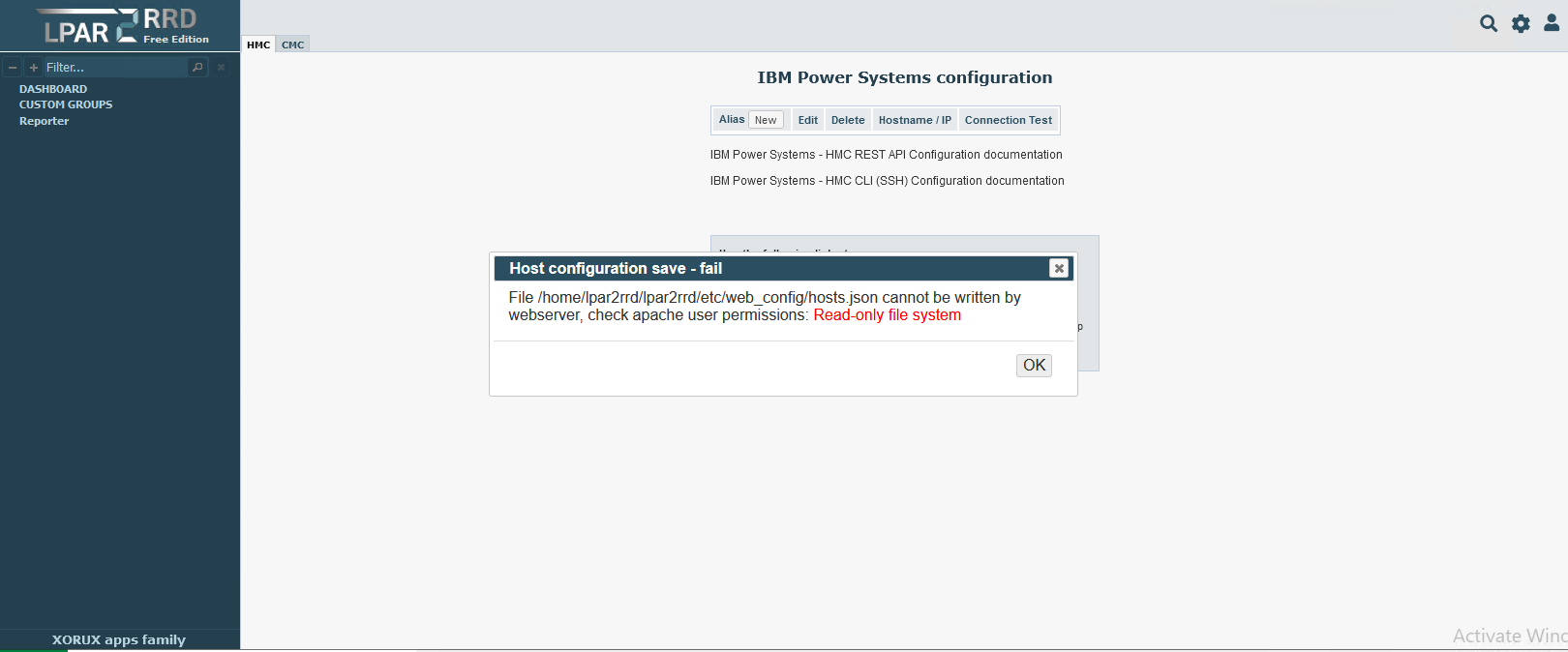
I followed the documentation to install and configure LPAR2RRD on my CentOS and I'm having the following problem. When I open the web page and try to add an HMC, I get the following error:
Host configuration save - fail
File /home/lpar2rrd/lpar2rrd/etc/web_config/hosts.json cannot be written by webserver, check apache user permissions: Read-only file system
On Linux I have disabled SELinux:
[root@CentOS-lpar2rrd]# getenforce
Disabled
[root@CentOS-lpar2rrd]#
Has anyone had the same problem as me and can help me solve it?
Thanks, Sergio.
Comments
-
this is the issue, you see it: permissions: Read-only file system
This output:
mount -a
BTW, you might already hear we have a new monitoring tool called XorMon. It's the replacement for LPAR2RRD and STOR2RRD.
You can find more information here: https://xormon.com/documentation-ng.php .
I recommend testing it out at least, it's a much better tool. It has many new features compared to our older tools.
LPAR2RRD neither STOR2RRD not being further developed, just bug fixes and small enhancements.
-
Thanks Pavel,
I have already verified that all filesystems are in rw and that in the directory /home/lpar2rrd and its children the user lpar2rrd and the user apache can read, write and execute commands.
I'll take a look to XORMON tool.
-
su apache -s /bin/sh -c "ls -l /home/lpar2rrd/lpar2rrd/etc/web_config/hosts.json"
this command will give yuo OS view on access to file as user apache.
-
is this working?
su apache -s /bin/sh -c "touch /home/lpar2rrd/lpar2rrd/etc/web_config/x"
That directory must be writable for apache user


Howdy, Stranger!
Categories
- 1.7K All Categories
- 132 XorMon
- 26 XorMon Original
- 178 LPAR2RRD
- 14 VMware
- 20 IBM i
- 2 oVirt / RHV
- 5 MS Windows and Hyper-V
- Solaris / OracleVM
- 1 XenServer / Citrix
- Nutanix
- 8 Database
- 2 Cloud
- 10 Kubernetes / OpenShift / Docker
- 142 STOR2RRD
- 20 SAN
- 7 LAN
- 19 IBM
- 8 EMC
- 12 Hitachi
- 5 NetApp
- 17 HPE
- 1 Lenovo
- 1 Huawei
- 3 Dell
- Fujitsu
- 2 DataCore
- INFINIDAT
- 4 Pure Storage
- Oracle